Release Edge services selectively
What Remote Access and Remote Management in pronubes bring you.
Your technicians reach the Kepware web interface from outside, authorized systems use released pronubes Edge endpoints, and all of this without inbound openings into your network. Three typical applications at a glance.
Configuring Kepware remotely
Configure wherever you are
Kepware Edge from Velotic comes with a built-in web interface, and Kepware Server has a new web interface. With pronubes Remote Management, your technicians reach it from outside, without inbound openings into your network.
Integrations and analytics from outside
Release Edge services selectively
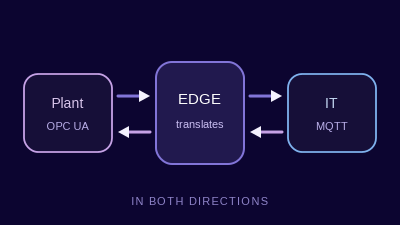
Authorized systems access released pronubes Edge endpoints via access token, without VPN and without an inbound firewall opening. The endpoints for OPC UA, REST API and MCP can also be made usable outside the internal network.
Production data for AI applications
Ready for AI
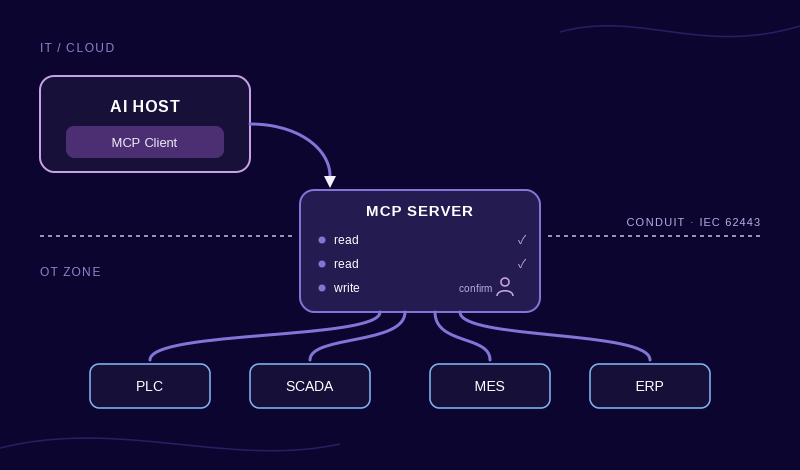
pronubes Edge can serve as an MCP server and thus provide production data for AI applications. Only what you release individually appears as a tool.
Good to know
Plainly said: prerequisites and limits
Time to get your production data moving
In a short conversation, we show you where these updates give you the most leverage in your system landscape.
FAQs
Do I need to change firewall rules?
No. For access from outside you do not have to adjust network rules or set up inbound openings. pronubes Edge establishes the connection outbound.
Who may access the Kepware web interface?
Technicians with the Remote Management permission. For this, pronubes Edge must be connected to pronubes Management and reach the web interface in the local network.
How does an external system get access?
Via an access token that you create under Remote Access & Tokens. It belongs to exactly one route, expires and can be revoked immediately.
Can pronubes Edge serve as an MCP server?
Yes. Only what you release individually appears as a tool.